
Background
Amazon is very customer-focused, and one of its main concerns is delivering products to customers quickly.
It can only do that when products are in stock, and it can only offer fast Prime delivery (next day or same day) when the stock sits in a warehouse close to the customer's address, so the order can ship out quickly.
This guide shows how to improve a product's ranking by making sure Amazon has enough inventory to deliver to its customers quickly.
Analysis and action steps
You'll check your product's delivery timeline in different regions of the US. If it's available for same-day or next-day delivery in most (ideally all) regions, that tells Amazon it can serve its customers with fast shipping. That helps organic ranking, because Amazon prefers to show fast-delivering products at the top of search results.
To cover nearly the whole of the US, use these 12 zip codes. Fill in the Delivery on column as you go, in the tracker below:
Same Day, Tomorrow or Another Day for 12 US zip codes, and the share of fast deliveries.
Want these numbers for your own account? Get a free audit →How to check each zip code
- Open an Incognito window in Chrome
So your account, address and browsing history don't change what Amazon shows.

- Go to Amazon.com and click the location pin
Top left, next to "Deliver to".
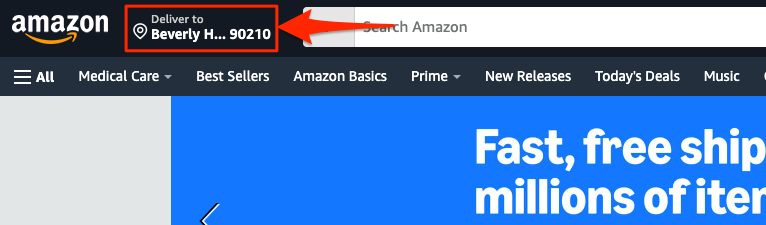
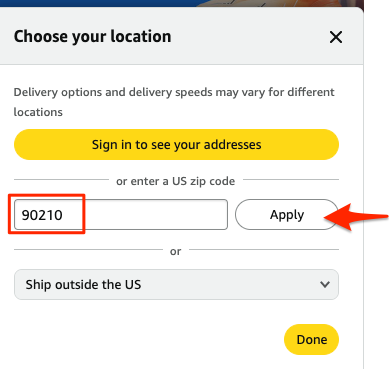
- Enter a zip code from the table and click Apply
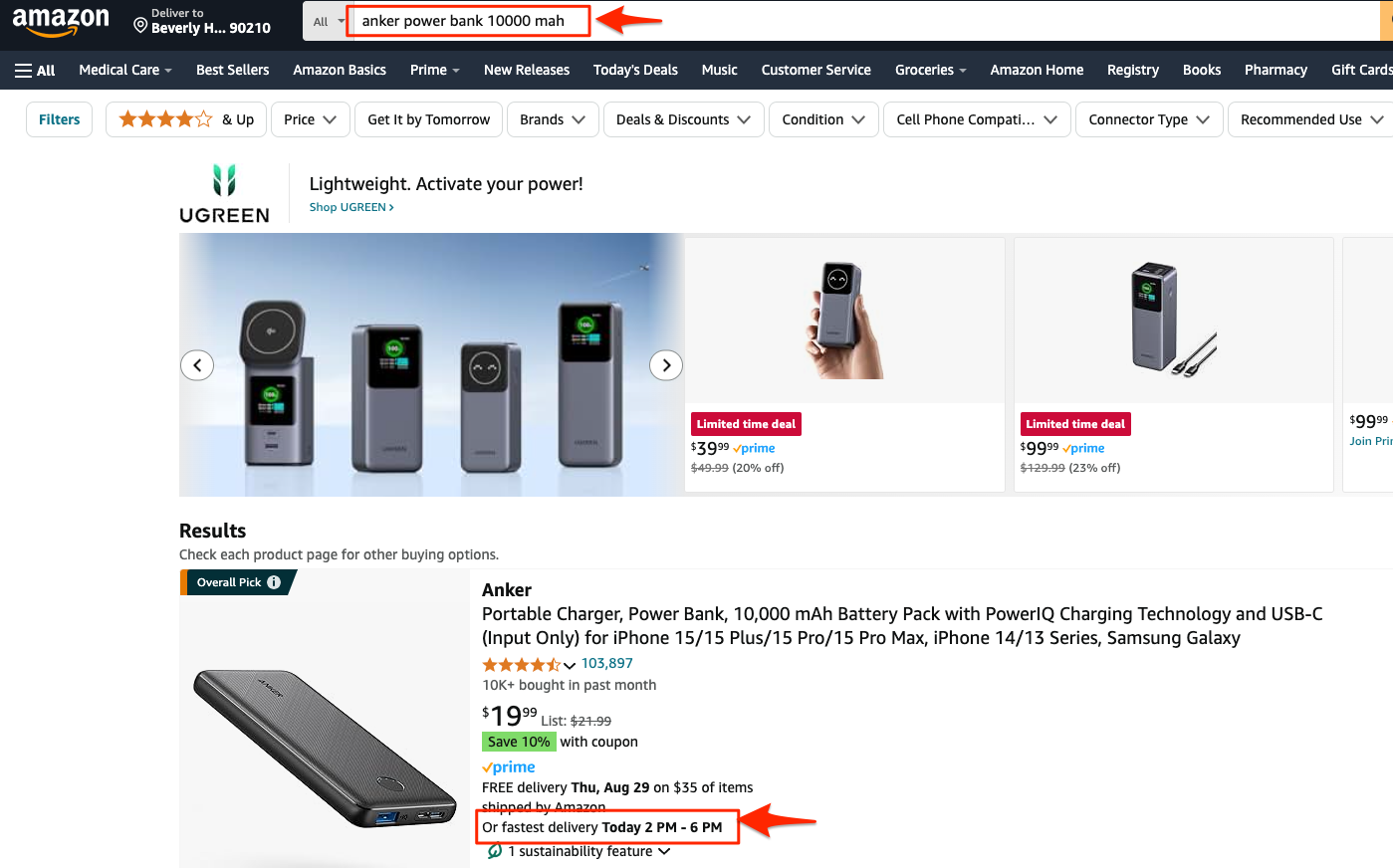
- Search for your product, including the brand name, and press Enter
- Check the delivery timeline in the search results
In the example below, for "Anker power bank 10000 mah", Amazon offers delivery Today, which is very fast. So for zip code 90210 you'd choose Same Day.
- Repeat for every zip code
Click the location pin, change to the next zip code and repeat. For each one, choose Same Day, Tomorrow or Another Day in the tracker.
- Count the fast locations
Look at how many locations got Same Day or Tomorrow. If it's more than 60 to 70%, you have enough inventory and no action is needed.
- If it's lower, send more inventory to Amazon
Pro tip: if you're sending more stock because of this check, choose an Amazon fulfillment center close to the zip codes that showed Another Day, if you can.
- Repeat every month
Run the check monthly and keep each month's results, so you can compare them over time.
- Checked all 12 zip codes in an Incognito window
- Recorded Same Day, Tomorrow or Another Day for each
- Same Day or Tomorrow share is above 60 to 70%
- If not, sent more inventory, to a fulfillment center near the slow regions
- Saved this month's results to compare next month
Related guides
- Inventory management systemWhy inventory is the second pillar of an Amazon brand, the team that runs it, and the weekly inventory levels table that stops products…
- Inventory planning: 5 key principlesHow to decide your next purchase orders: a six-month forecast, monthly POs that keep six months in the cycle, buffers, best sellers first…
- Keeping the inbound placement fee downHow Amazon's FBA inbound placement fee works, what each split option costs, and how routing stock through AWD or Amazon Global Logistics…