
About this SOP
This SOP explains the inventory placement options in Seller Central, why you should keep the default distributed inventory placement, what you gain from it and how it works. It covers:
- The inventory placement options.
- The difference between distributed inventory placement and the inventory placement service.
- How to turn on distributed inventory placement.
Introduction
The inventory placement option has two settings.
Distributed inventory placement (the default): Amazon chooses the fulfillment centres for your FBA shipments and may split a shipment across several of them, based on its algorithm. That can mean higher freight costs for you, since you deliver to more places, but it's Amazon's default and it's free.
You want to sell 500 wallets
Amazon may ask you to split them for the best fulfillment: 150 to New York, 150 to Texas and 200 to California
Inventory placement service: you send all your units to a single fulfillment centre. Once they arrive, Amazon repacks them and sends them on to other fulfillment centres for you. This comes at a high cost, so it's rarely worth it.
What the options are called now
Since Amazon introduced the inbound placement fee in 2024, the same choice appears under new names:
| Before | Now | Fee |
|---|---|---|
| Distributed inventory placement | Amazon-optimized shipment splits: you send to several locations yourself | No placement fee |
| Inventory placement service | Minimal shipment splits: you send to one or a few locations and Amazon spreads the stock | Placement fee per unit |
In Send to Amazon you pick the option for each shipment, in Step 2 of the shipment workflow. Compare the freight to several locations with the placement fee every time: see Keeping the inbound placement fee down for the rates and the AWD and AGL alternatives.
How to set distributed placement as the default
- Open Fulfillment by Amazon settings
Seller Central›Settings (gear icon)›Fulfillment by Amazon
- Find Inbound Settings
Check Inbound placement service fee options for Amazon APIs.
- Click Edit
Choose Amazon-optimized shipment splits and click Update.
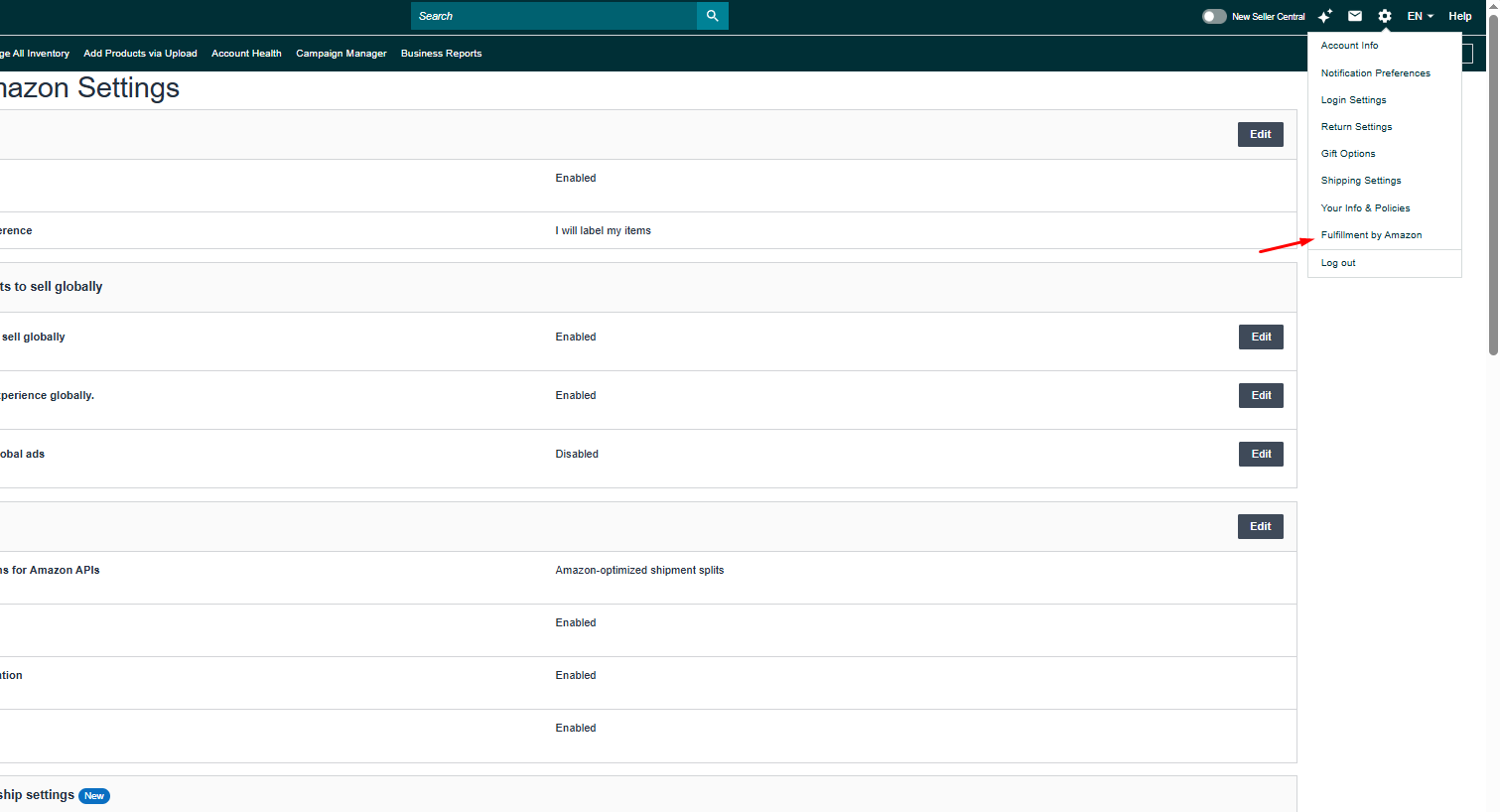

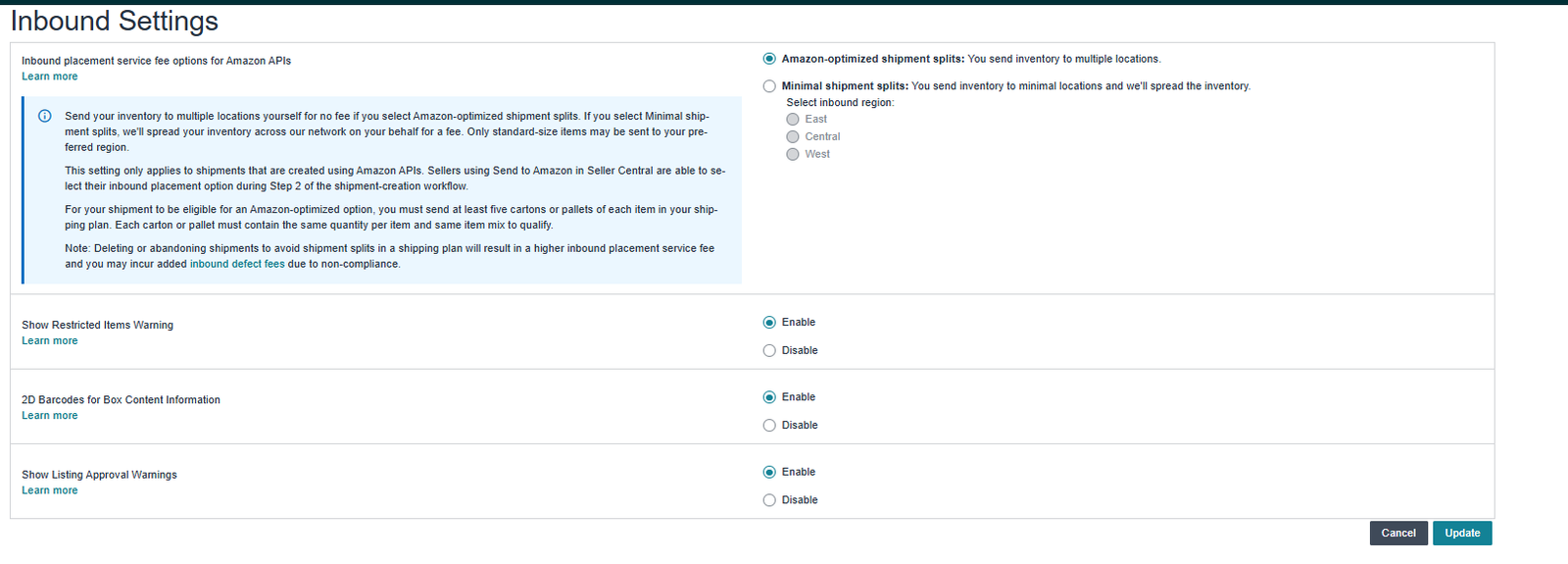
- Inbound Settings set to Amazon-optimized shipment splits
- Amazon-optimized splits chosen in Step 2 of each Send to Amazon shipment
- At least five cartons per item, packed the same way
- Freight to several locations compared with the placement fee
Related guides
- Keeping the inbound placement fee downHow Amazon's FBA inbound placement fee works, what each split option costs, and how routing stock through AWD or Amazon Global Logistics…
- Amazon Warehousing and Distribution (AWD) playbookWhat AWD costs in 2026, which products qualify, and how to work out whether sending stock through AWD is cheaper than shipping straight to…
- Package optimization for cheaper freight costsMake your product packaging and cartons smaller to cut freight costs and raise margins, without pushing the product into a more expensive…