
Why
- Higher CVR
- More promotional space on the listing
- More cross-sells and a higher AOV
- More units per order
- Stronger awareness across the catalog
- Customers more tied to your brand, so harder to lose to competitors
The badge sits right next to the price, one of the highest-attention areas of the product page. It adds a visual trust signal and promotional visibility without changing the listing. More promotional elements usually lift engagement and CVR, especially with strong pricing, coupons, social proof and relevant cross-sell products.
Cross-selling shows shoppers complementary products to buy with the one they want. The real goal is bigger baskets, more brand exposure, multi-product adoption, customer lifetime value and brand stickiness: once shoppers own several of your products, they're much more likely to stay with you. It works best for repeat purchases, consumables, accessories, product ecosystems and complementary SKUs.
Where it shows
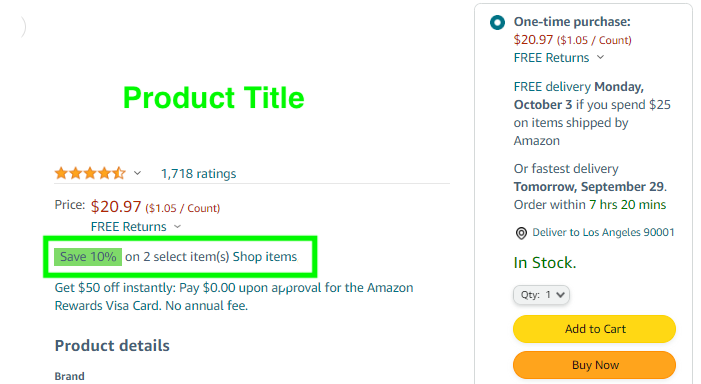
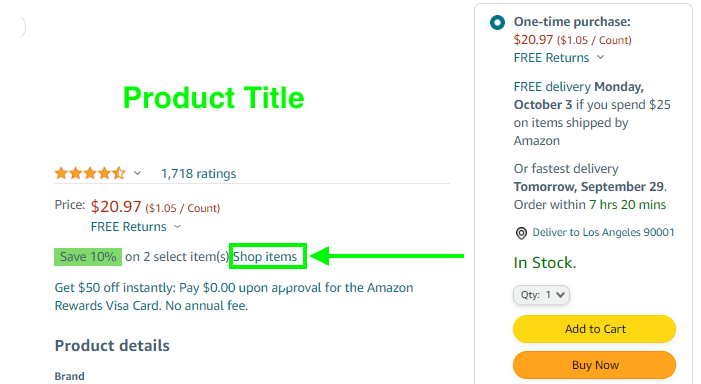
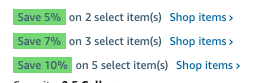
Shop items opens a page with your other products at the percentage off.
How to create it
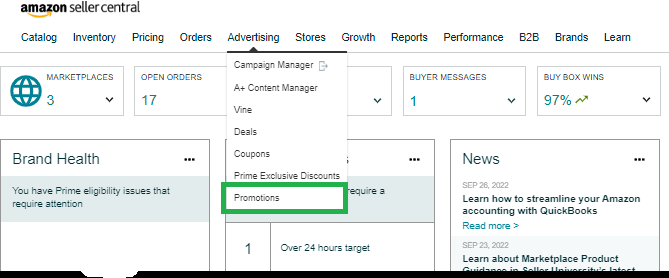
- Open Promotions
Seller Central›Seller Central›Advertising›Promotions
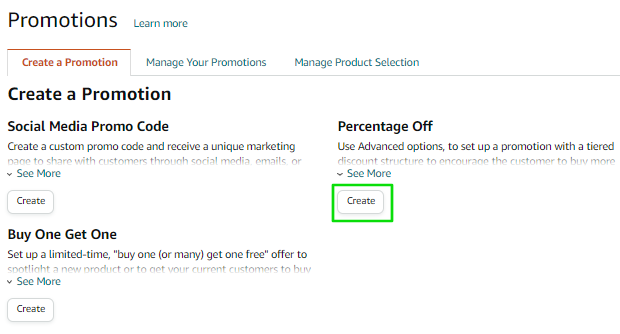
- Create a Promotion → Percentage off
Three steps: conditions, scheduling, additional options.
- Conditions
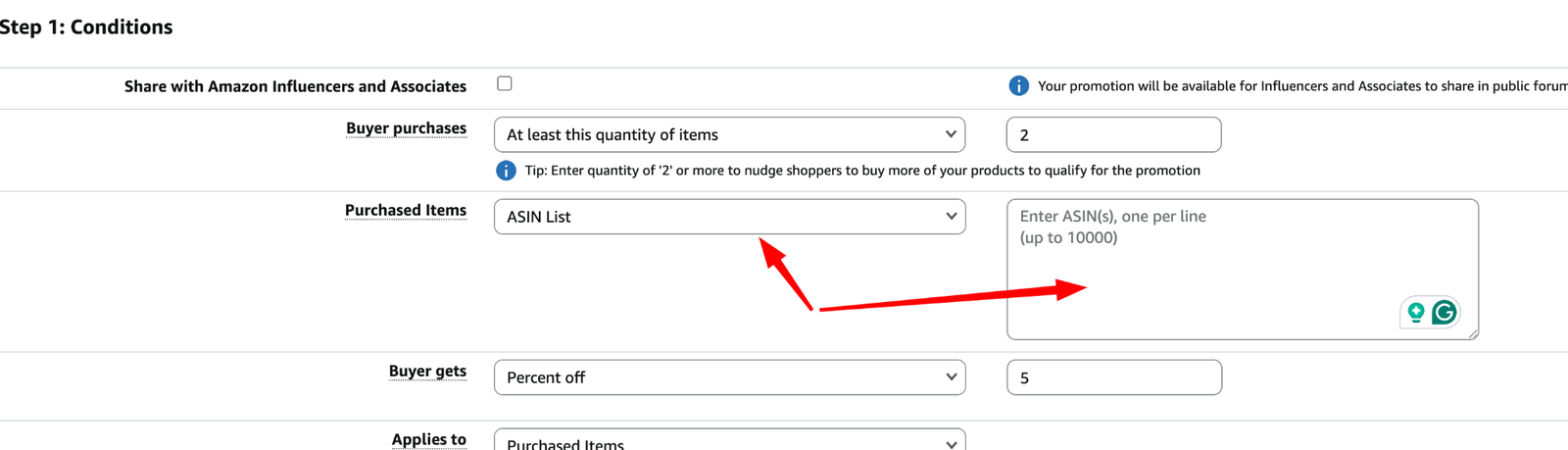
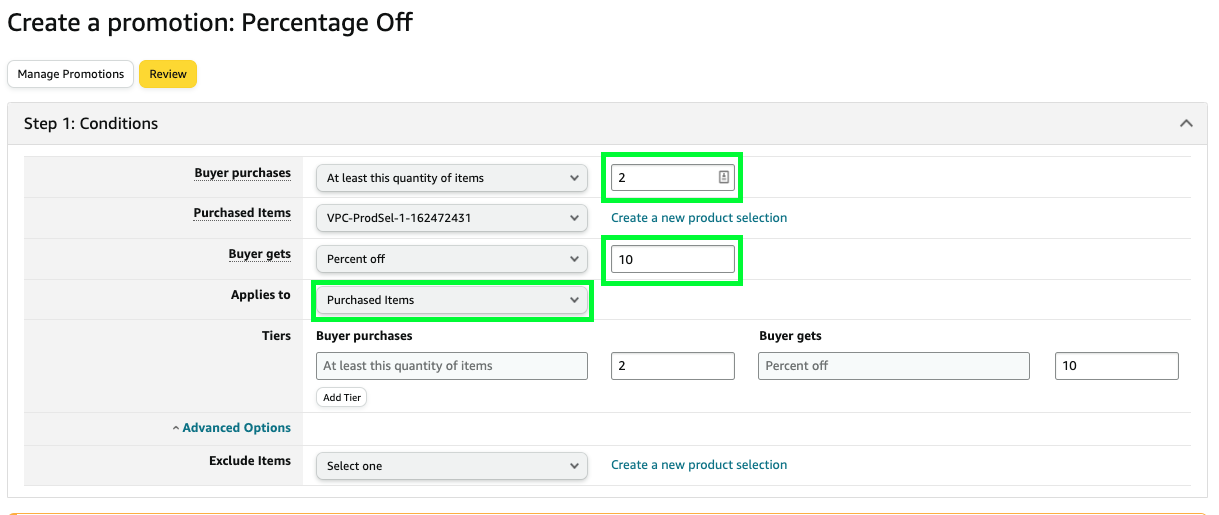
Buyer purchases: at least this quantity of items, 2 recommended. Purchased items: ASIN list with every ASIN in the promotion. Buyer gets: 10% recommended. Applies to: Purchased items.
- Scheduling
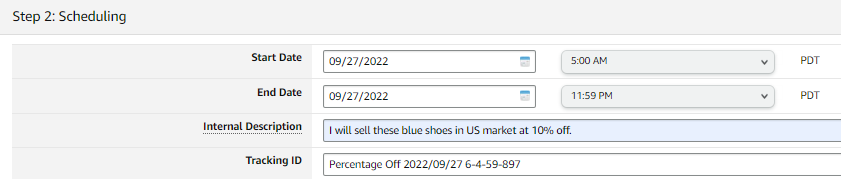
Start and end date, an internal description for your reference, and the tracking ID Amazon gives.
- Additional options
Claim code: None (everyone eligible gets it). Tick Show promotion on detail page, with a title like "Buy 2 products and get 10% off." Stacked promotions: No.
- Review and Submit


Check it and measure it
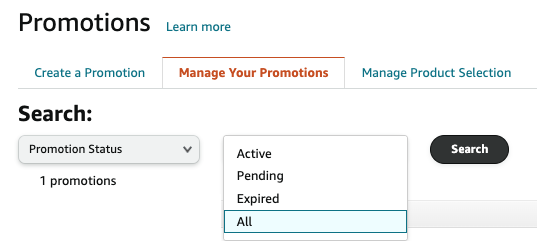
- Promotions → Manage Your Promotions: search by status (Active, Pending, Expired, All) or by date range.
- Check the product page shows the green percentage-off badge under the price.
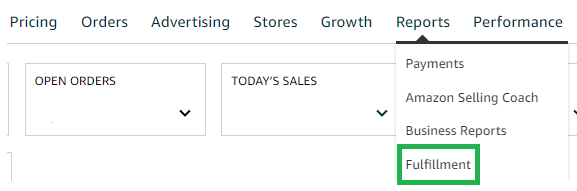
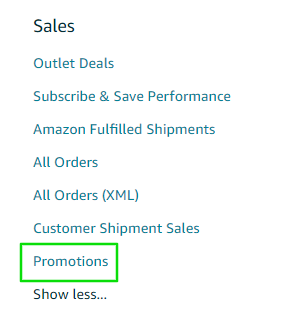
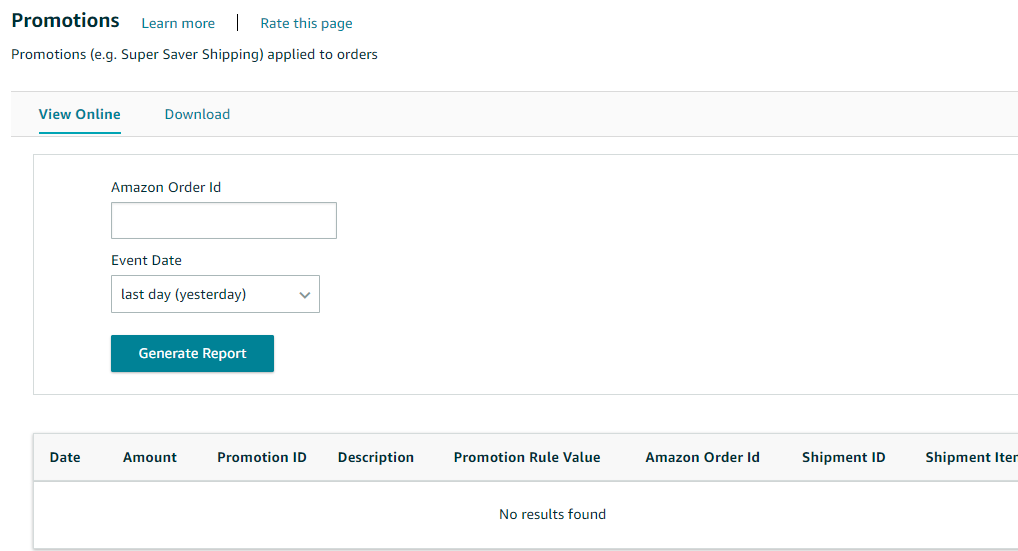
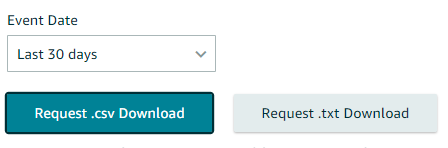
- Promotion sales: Reports → Fulfillment → Sales → Promotions. Enter the order ID and dates, then Request .csv Download.

Related guides
- Insert cards for cross-sellingA small card in the package that promotes your other Amazon products with a discount on the next purchase: more cross-sales and loyalty,…
- Brand Store (Storefront) optimizationYour brand's own mini website on Amazon: how it's built (pages, sections, tiles), and the most important fix: best sellers on the home…
- Brand Tailored PromotionsOffer 10–50% off to audiences who already know your brand (cart abandoners, recent customers, potential new customers…). Not a game…