
Why add expenses
Sellerboard shows the gross profit of your Amazon store: all Amazon expenses (PPC, storage fees, FBA fees and so on) and COGS are included.
But your business has more expenses than the ones you pay Amazon, and it couldn't run as it does without them. So the picture in Sellerboard needs correcting. Adding your monthly expenses gives you a more realistic view of your profit.
The owner task
The task has two parts: gather the expenses internally, then update them in Sellerboard.
First, gather last month's expenses related to the account, and the total you paid for each. Include services like:
- 3PL cost: warehouse prep and storage fees
- VA salaries
- Interest payments
- Software subscriptions (use an approximate monthly number; no need to calculate it exactly, it should be small)
- Outside marketing: DSP, affiliates, Facebook ads, etc.
- Any other regular expense you think should be included
- Open Expenses in the Sellerboard sidebar
Seller Central›Sellerboard›Expenses
- Click Add
Expense title = the expense name; amount = the total you paid for it last month.
- Repeat for every expense
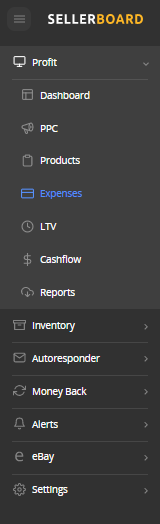
- If an expense belongs to one product only (e.g. affiliate marketing for your main product), you can mark that product when you add it.
- Enter accurate expenses at the start of each month for the previous month (e.g. on April 3rd, all expenses for March).
Keep the list in the Monthly SB Expenses tab of the finance tracking workbook ↓, so each month is one copy-and-add.
One-time tasks to do now
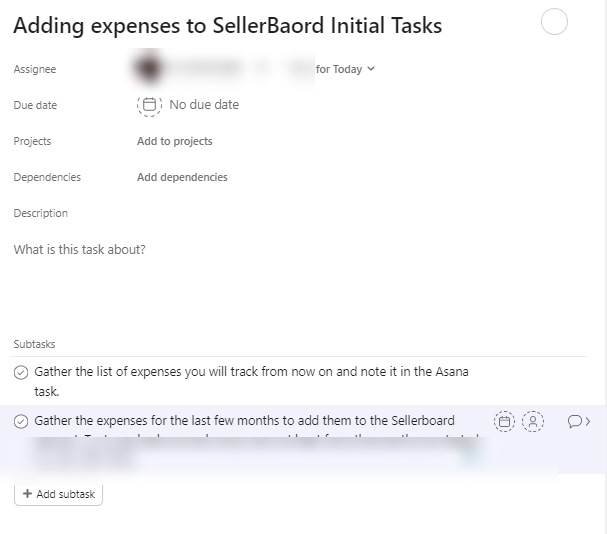
- Gather the list of expenses you will track from now on, and note it in the recurring task
- Gather the expenses for the last few months and add them to Sellerboard: go back as far as you can
The recurring task
| Field | Value |
|---|---|
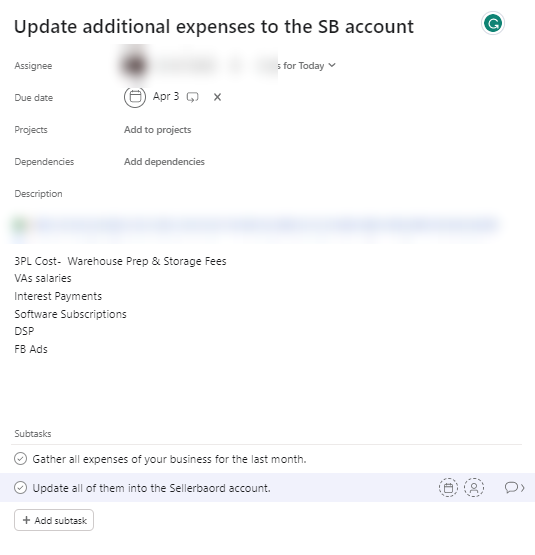
| Task name | Update additional expenses to the SB account |
| Due date and repeat | Every month on the 3rd |
| Subtasks | Gather all business expenses for last month · Update all of them in Sellerboard |
| Description | A link to this guide, and the list of expenses you track monthly |
Related guides
- Sellerboard account and gross margin preparationOpen Sellerboard, connect your store and ads, fill in landed cost per ASIN, share access, and fill in the product and freight cost in your…
- Monthly profitability reportOnce a month, go through every product's profit: confirm the best sellers, find the bleeders and why they bleed, and set each product's…
- Tracking expenses and invoicesOne sheet with every business expense and its invoice, updated day to day: better control, everything ready for your CPA, and a clean…